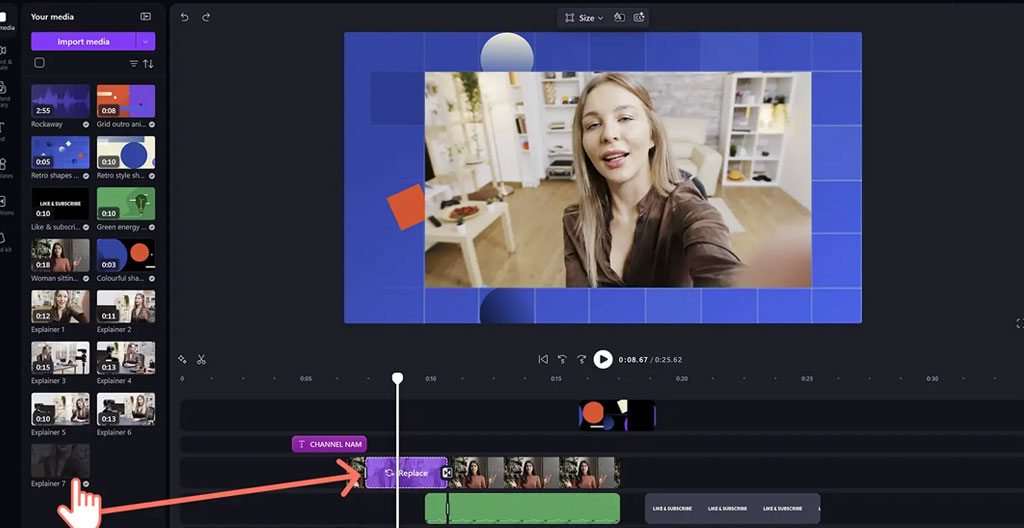
Yet behind this widespread adoption sits a persistent bottleneck: production time. Content teams face mounting pressure to publish more videos, faster, whilst maintaining professional quality and brand consistency across platforms. The gap between demand and capacity has widened to the point where 57% of teams spend more time creating videos than promoting them, as measured by the Wistia State of Video 2026 benchmark. Editable video templates address this friction directly by providing a structured foundation that retains professional standards whilst dramatically reducing production time.
Your template efficiency snapshot
- Templates significantly reduce production time compared to custom creation workflows, with teams typically compressing 3-6 hour processes to under 1 hour
- Minimal technical editing skills required — customisable elements typically include text, colours, media assets and layout structure
- Brand consistency improves when templates follow pre-approved guidelines, ensuring professional presentation across all platforms
- Strategic deployment matters: templates excel at high-frequency formats (social media, corporate updates) whilst hero campaigns may still warrant custom production
What makes a video template truly ‘editable’?
The term « editable template » gets applied loosely across platforms, yet not all solutions offer the same depth of customisation. A genuinely editable video template provides granular control over multiple layers beyond simple text replacement. The baseline expectation includes the ability to modify text fields, swap media assets (images, video clips), adjust colour palettes to match brand guidelines, and restructure layout elements such as logo placement or graphic positioning.
Professional-grade solutions offer granular control over timing, transitions and hierarchy beyond basic text replacement. Quality platforms allow users to extend or shorten scene duration, rearrange sequences, and modify animation styles. This flexibility ensures templates serve as frameworks rather than rigid constraints.
Technical baseline: Professional editable templates should support brand kit integration (uploading your specific fonts, colours and logos for automatic application), multi-format export (square, vertical, widescreen from a single project), and media library access for stock footage when custom assets aren’t available.
The distinction matters because shallow customisation produces the « cookie-cutter » appearance that undermines brand identity. A template that only permits text changes will inevitably look generic when deployed across multiple campaigns. Deep customisation capability — controlling pacing, visual hierarchy, colour application and media treatment — enables teams to maintain distinctive brand presentation whilst benefiting from structural efficiency.
The efficiency advantage: time and consistency gains
The productivity case for templates rests on eliminating repetitive production tasks. Content teams face a straightforward reality: creating a single video from scratch typically requires 3-6 hours of work, depending on complexity and skill level. This investment covers planning, asset gathering, editing, revision cycles and export. When a team publishes 8-12 videos monthly — now the baseline for active content programmes — the time requirement becomes unsustainable without either additional headcount or workflow optimisation.
Template-based workflows compress this timeline substantially. Rather than building each video’s structure from empty timelines, creators begin with proven frameworks where timing, transitions and visual hierarchy are pre-established. The work shifts from construction to customisation. Platforms offering editable video templates enable teams to produce professional results in 30-45 minutes by focusing effort on the elements that require uniqueness — messaging, specific visuals, brand alignment — whilst automating structural decisions. The Wyzowl research identified a telling barrier: 37% of businesses not using video cite « simply don’t know where to start » as their primary obstacle. Templates remove this paralysis by providing clear starting points.
76%
Proportion of companies producing at least one video monthly, indicating teams have found sustainable cadences
The consistency advantage operates on two levels. First, visual consistency: when multiple team members create content using the same template library built on approved brand guidelines, the output maintains unified presentation across platforms and creators. This addresses a common pain point where distributed content creation leads to fragmented brand identity. Second, workflow consistency: standardised processes reduce decision fatigue and enable batch production approaches. Teams report being able to create four to six social videos in a single focused session once templates are established.
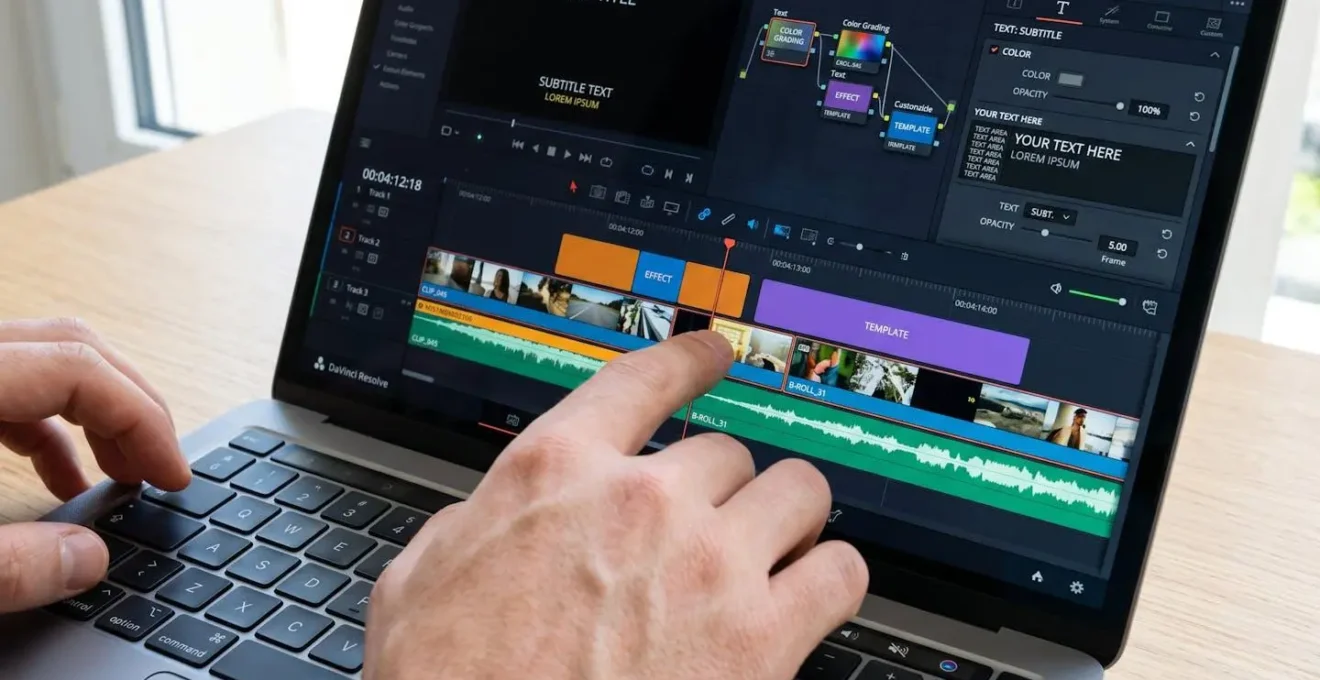
Data from the Wistia benchmark reveals another efficiency dimension: 76% of teams adjust aspect ratios depending on platform, with half doing this for every video. This seemingly minor technical task — reformatting a landscape video for Instagram Stories or LinkedIn square posts — consumes surprising amounts of time in custom workflows. Multi-format templates solve this by building responsive structures that automatically adapt to different dimensions whilst preserving compositional integrity.
Real-world applications across content formats

The practical value of templates varies significantly across content types. Understanding which applications deliver maximum efficiency gains helps teams prioritise deployment and avoid misapplication.
Social media content at scale: High-frequency social content represents the strongest use case for template workflows. Platforms demand constant publishing — Instagram Reels, LinkedIn updates, TikTok content — with format-specific technical requirements and rapid consumption patterns. The production challenge sits at the intersection of volume and variety: teams need multiple videos weekly whilst adapting to different platform conventions.
Scenario: B2B social media manager scaling output
A social media manager at a mid-sized technology company needed to produce 10 videos monthly with a two-person team and limited editing experience. Before implementing templates, each video required 4-5 hours of work, creating from scratch in editing software. The timeline was unsustainable, leading to missed deadlines and inconsistent quality. Shifting to template-based production reduced average creation time to 45-60 minutes per video. The manager established five core template types aligned to recurring content needs, each embedding brand colours, typography and transition styles. The workflow shifted to batch creation sessions. Quality improved alongside speed because templates incorporated proven structures for hook delivery, pacing and call-to-action placement.
According to data consolidated in HubSpot’s 2026 video marketing analysis, over half of companies repurpose video content into social clips, with LinkedIn (67%), Instagram (49%) and YouTube (41%) as the primary distribution channels. Templates built for multi-platform deployment directly support this repurposing workflow.
Corporate communications and internal videos: Internal communications and corporate updates occupy a different production context. Volume may be lower than social content, but the need for professional presentation and brand compliance remains high. Common applications include executive updates, training modules, policy announcements, team spotlights and onboarding content. The specific advantage templates provide here relates to approval workflows and delegation. When templates follow pre-approved brand standards, individual contributors across departments can create video content without requiring creative team involvement for every project. Templates also address a particular pain point in corporate environments: last-minute content requests. When leadership needs a video announcement produced on short notice, starting from a template that already contains correct branding, approved animations and established timing allows rapid turnaround without compromising professionalism.
Event promotion and recap videos: Event-related content follows predictable patterns — pre-event promotion, day-of social coverage, post-event highlights — making it particularly suited to template approaches. The production challenge involves tight deadlines combined with volume. Template libraries for events typically include countdown graphics, speaker introduction formats, session highlight structures, attendee testimonial frames, and recap montages. The efficiency gain comes from reusability across multiple events throughout the year, with only specific details requiring updates.
| Content Type | Typical Time Saved | Skill Level Needed | Customisation Priority | Consistency Impact |
|---|---|---|---|---|
| Social Media (Stories/Reels) | Substantial (3-4x faster) | Basic editing | Text and media swap | Critical for brand recognition |
| Corporate Communications | Significant (2x faster) | Minimal (delegation-ready) | Brand compliance | High (distributed creators) |
| Event Promotion/Recaps | Major (4x faster) | Basic to intermediate | Date/speaker/venue details | Moderate (recognisable format) |
*Time savings are illustrative estimates based on industry practice; actual results vary by team capability and customisation depth.
Avoiding the template trap: customisation depth matters
The primary objection to template-based video production centres on aesthetic homogeneity — the fear that output will look generic, indistinguishable from competitors, or visibly « templated » in ways that undermine brand identity. This concern has merit, but the risk stems from execution rather than the approach itself. Shallow customisation produces cookie-cutter results; thorough customisation using quality templates delivers brand-distinctive content at scale.
The difference lies in how deeply users engage with available customisation options. Simply changing text and dropping in a logo represents minimal effort that preserves the template’s generic appearance. Professional results require systematic customisation: uploading brand-specific fonts rather than using template defaults, replacing colour schemes entirely to match brand palettes, swapping all placeholder imagery with on-brand assets, adjusting animation timing to match brand personality, and restructuring layout elements to create distinctive visual hierarchy.
Critical distinction: Templates define structure and handle technical execution; customisation injects brand identity and message specificity. Skipping thorough customisation produces the generic appearance many creators fear, yet this outcome reflects user choices rather than template limitations.
Platform selection significantly impacts customisation depth. Basic template tools offer limited control — perhaps text editing and simple media replacement. Professional platforms provide granular access to timing, layering, effects, and compositional elements. When evaluating solutions, content teams should assess: degree of control over colour application, font flexibility, media handling, timing adjustments, and export quality.
- Small to medium teams (1-10 people), publishing 5-25 videos monthly:
Prioritise platforms with extensive ready-made template libraries and straightforward customisation interfaces. Focus on social media and marketing templates that cover your core content types. For smaller teams, accept some structural similarity across videos in exchange for sustainable production pace. Budget-conscious options with strong template variety deliver better results than feature-rich platforms requiring steep learning curves. As volume scales, seek platforms offering brand kit functionality and collaborative editing features. Invest time in building custom template variations from base structures rather than relying solely on platform defaults. Prioritise platforms allowing template sharing across team members to maintain consistency.
- Large team or agency (10+ people), publishing 25+ videos monthly with diverse needs:
Enterprise platforms with advanced customisation controls, approval workflow integration, and comprehensive template category coverage become essential. Your requirements include the ability to create fully custom templates (not just modify existing ones), granular permission controls (who can edit brand elements versus content only), and robust asset management. The cookie-cutter risk is highest at this scale, making deep customisation capability non-negotiable. Consider platforms offering API access for workflow integration.
Strategic deployment also matters. Not every video warrants template treatment. Hero campaigns, brand films, and flagship content pieces often benefit from custom production that delivers distinctive creative expression. Templates excel in high-frequency, repeatable content scenarios. The optimal approach for most teams involves a hybrid model: custom production for signature content that defines brand identity, supplemented by template workflows for the volume content that maintains presence and engagement. Implementing approaches from the blueprint for content engagement helps teams identify which content merits custom investment versus template efficiency.
Will templates make my videos look generic or cookie-cutter?
Only if customisation remains superficial. Templates that receive thorough brand customisation — replacing fonts, colours, imagery, adjusting pacing and modifying layouts — produce distinctive results. The generic appearance results from minimal effort (changing only text), not from the template approach itself. Quality platforms provide sufficient customisation depth to maintain brand identity whilst benefiting from structural efficiency.
Can templates accommodate strict brand guidelines?
Professional template platforms support comprehensive brand guideline implementation. Users can upload custom fonts, define precise colour palettes (including gradients and opacity levels), set logo placement rules, and establish animation styles. The key is selecting platforms offering sufficient customisation depth rather than basic tools with limited control. Enterprise solutions often include approval workflows ensuring template output complies with brand standards before publication.
Do I need video editing experience to use templates effectively?
Basic templates require minimal editing knowledge — if you can use presentation software, you can handle simple template customisation. More advanced customisation (timing adjustments, layout modifications, effect controls) benefits from intermediate familiarity with video concepts, though professional platforms design interfaces to be more intuitive than traditional editing software. The learning curve for template platforms is substantially shorter than mastering full video editing applications.